
IraDialer Dashboard
IraDialer Dashboard: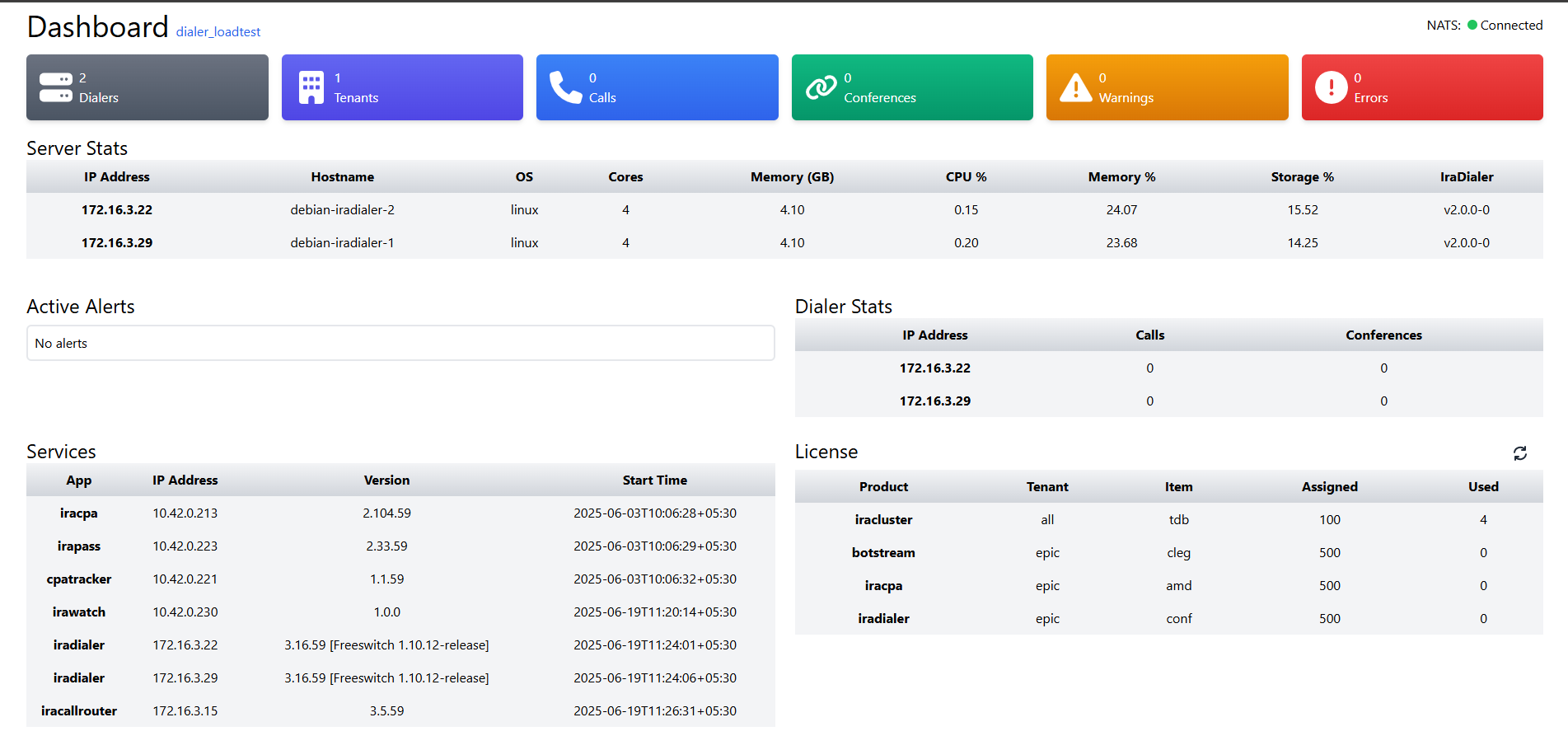
IraDialer Dashboard can be accessed from http://<dialer_ip>/monitor
You can also check the live data from http://<dialer_ip>/monitor/data
Details shown in the dashboard
The name next to the Dashboard is the Cluster_id
If the circle at the NATS is green, NATS is up and running. If It is red then NATS is Disconnected.
Services
services running also show the version of the services and their last restart time.
License:
This shows the number of components licenses assigned and used.
Dialer stats
Shows the IP of the dialers and also the amount of calls and conferences handled by it.
Active Alerts
Shows the missing components if any component required for IraDialer to run is down/missing.
Server Stats
Displays the Dialer IPs along with their Hostname , OS name, Memory usage, CPU usage, Storage Usage and Version of IraDialer on the respective machines.